Introduction
In today’s fast‑paced digital world, businesses are constantly looking for ways to deliver faster, more personalized customer experiences. WhatsApp, with its massive user base of over 2.2 billion active users, has become a preferred channel for customer interactions. However, handling the volume of messages manually is unsustainable. This is where WhatsApp customer support automation steps in, transforming raw conversations into streamlined, efficient service experiences. This guide explores the benefits, tools, and step‑by‑step implementation of WhatsApp support automation, equipping business owners and support managers with the knowledge they need to scale their service operations without sacrificing quality.
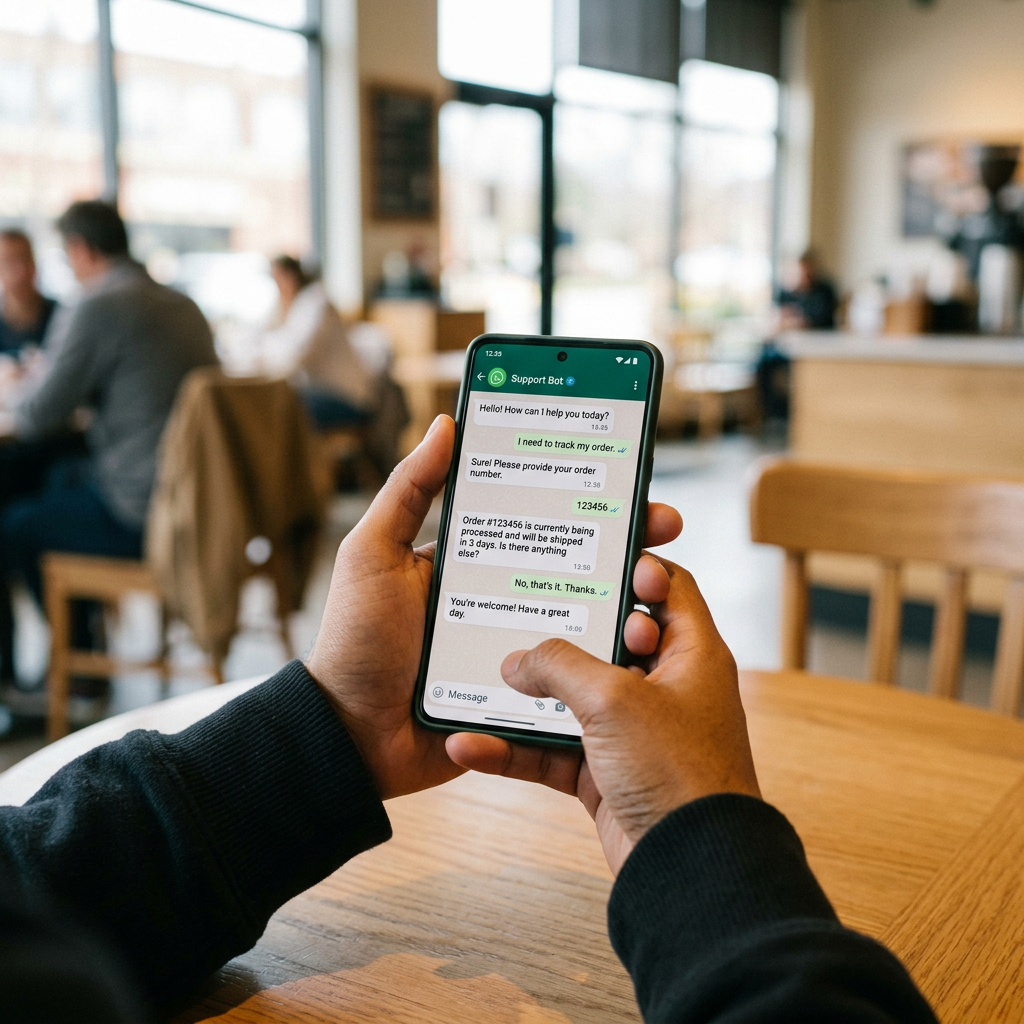
Table of Contents
Why Automate WhatsApp Support?
Automation is more than a convenience; it is a strategic advantage. By automating WhatsApp support, companies can:
- Reduce average response time from hours to seconds.
- Handle high‑volume inquiries without hiring additional agents.
- Ensure 24/7 availability, meeting customers where they are.
- Maintain brand consistency through scripted, on‑brand messaging.
- Gather actionable data for continuous improvement.
These benefits directly translate into higher customer satisfaction, increased loyalty, and ultimately, greater revenue. Automation also frees human agents to focus on complex, high‑value tasks, improving overall team morale and productivity.
Key Components of WhatsApp Customer Support Automation
1. Chatbots and AI‑Powered Assistants
The cornerstone of any automation strategy is a chatbot. Modern AI‑driven bots can understand natural language, handle multiple intents, and escalates conversations to human agents when needed. They are capable of answering FAQ, processing orders, providing order status, resetting passwords, and even guiding users through troubleshooting steps.
2. Workflow Automation Platforms
Tools such as Zapier, Integromat, and Microsoft Power Automate enable seamless connectivity between WhatsApp APIs, CRM systems, and third‑party services. By defining triggers and actions, you can automatically log conversations, update customer records, or send notifications to team members.
3. Integration with CRM and Help‑Desk Systems
Integrating WhatsApp with CRM platforms like Salesforce or HubSpot ensures that every interaction is captured and stored in the customer’s profile. Help‑desk solutions like Zendesk, Freshdesk, or Intercom provide ticketing, reporting, and SLA tracking capabilities, turning sporadic chat threads into structured support cases.
Typical integration workflow:
- WhatsApp receives an inbound message via API.
- Bot processes the message; if unresolved, it creates a ticket in Zendesk.
- Ticket is assigned to the appropriate support agent, who can reply directly from the CRM.
- All history is updated in real‑time across systems.
Practical Implementation Steps
Step 1: Choose the Right Automation Platform
Evaluate solutions based on:
- WhatsApp Business API compatibility.
- AI chatbot capabilities (NLP, multilingual support).
- Integration options with existing CRM/Help‑desk.
- Scalability and pricing model.
Step 2: Set Up a WhatsApp Business Account
Register your business on the WhatsApp Business app, obtain a phone number, and verify your account. This step provides you with a unique webhook endpoint for receiving messages.
Step 3: Configure the Chatbot
Design conversation flows using a visual builder or script editor. Include:
- Greeting and welcome messages.
- Intent detection for common queries (order tracking, returns, product info).
- Fallback paths to route to human agents.
- Context retention for multi‑step processes.
Step 4: Connect to CRM and Help‑Desk
Use API keys from your CRM to create a new integration. Map WhatsApp customer numbers to CRM contact IDs. Enable automatic ticket creation for unresolved chats.
Step 5: Test, Launch, and Monitor
Run a beta test with a small group of customers, collect feedback, and refine the bot’s responses. After launch, monitor key performance indicators (KPIs) such as first response time, resolution rate, and customer satisfaction (CSAT).
Comparison Table: Popular WhatsApp Automation Solutions
| Solution | WhatsApp API Support | Built‑in AI Chatbot | CRM Integrations | Pricing (approx.) |
|---|---|---|---|---|
| WhatsApp Cloud API + Dialogflow | Yes | Yes | Salesforce, HubSpot | Free‑tier + $0.017/msg |
| ManyChat | Yes | Yes | Zendesk, Freshdesk | $15–21/mo (Starter) |
| Gupshup | Yes | Optional AI add‑on | HubSpot, Zoho | $49–76/mo (Growth) |
| Intercom WhatsApp | Yes | Yes | Intercom native | $74– mo+ per seat |
Real‑World Examples
- E‑commerce retailer: Implemented a ManyChat bot that fields product queries, processes returns, and reduces support ticket volume by 40%.
- Telecommunications provider: Used the WhatsApp Cloud API with Dialogflow to automate bill explanations, achieving a 90% first‑contact resolution rate.
- Fintech startup: Integrated Intercom WhatsApp with its CRM, allowing customers to reset passwords via chat, cutting processing time from days to minutes.
Best Practices for Automation
Maintain a Human Touch
Even the most sophisticated bots need a seamless handoff to human agents. Clearly indicate when a bot ends the conversation and a real person can take over.
Personalize at Scale
Leverage CRM data to address customers by name, reference previous purchases, and tailor recommendations based on behavior.
Continuously Train the AI
Collect conversation logs, run them through sentiment analysis, and feed the data back to your NLP model. Over time, the bot becomes smarter and handles more complex queries.
Ensure Compliance
Follow WhatsApp’s Business Platform Policies, obtain explicit consent for marketing messages, and provide easy opt‑out options to stay GDPR and CAN‑SPAM compliant.
Frequently Asked Questions
What is WhatsApp customer support automation?
WhatsApp customer support automation refers to using chatbots, workflow tools, and CRM integrations to automatically handle routine inquiries, route complex issues, and provide 24/7 assistance on the WhatsApp platform without manual intervention.
Do I need a WhatsApp Business API to automate support?
Yes. The Business API provides the necessary tools for sending and receiving messages programmatically, enabling you to integrate bots and workflows. Free tier options exist for small businesses.
Can automation replace human agents entirely?
No. Automation excels at handling repetitive tasks, but complex, high‑value interactions still require human empathy and judgment. A hybrid approach often delivers the best results.
What are the main challenges in implementation?
Key challenges include ensuring smooth API integration, maintaining data privacy compliance, training the AI model with quality data, and managing customer expectations regarding bot capabilities.
How do I measure success?
Monitor KPIs such as first response time, resolution rate, CSAT scores, ticket volume reduction, and cost per contact. Regular analysis of these metrics helps refine the automation strategy.
Conclusion & Call to Action
WhatsApp customer support automation is no longer a luxury; it’s a necessity for businesses that want to stay competitive in 2024 and beyond. By implementing AI‑driven chatbots, seamless workflow integrations, and robust CRM connections, you can deliver instant, personalized support that scales with your growth. Take the first step today – evaluate a trial of a leading WhatsApp automation platform, map out your ideal customer journey, and start seeing measurable improvements in response times and customer satisfaction. Explore our detailed automation checklist to ensure you cover every critical aspect of deployment. Ready to transform your support? Start automating now and watch your customer experience soar!
For more insights on integrating digital channels, visit Salesforce’s guide on WhatsApp Business API and Intercom’s best practices for support automation.