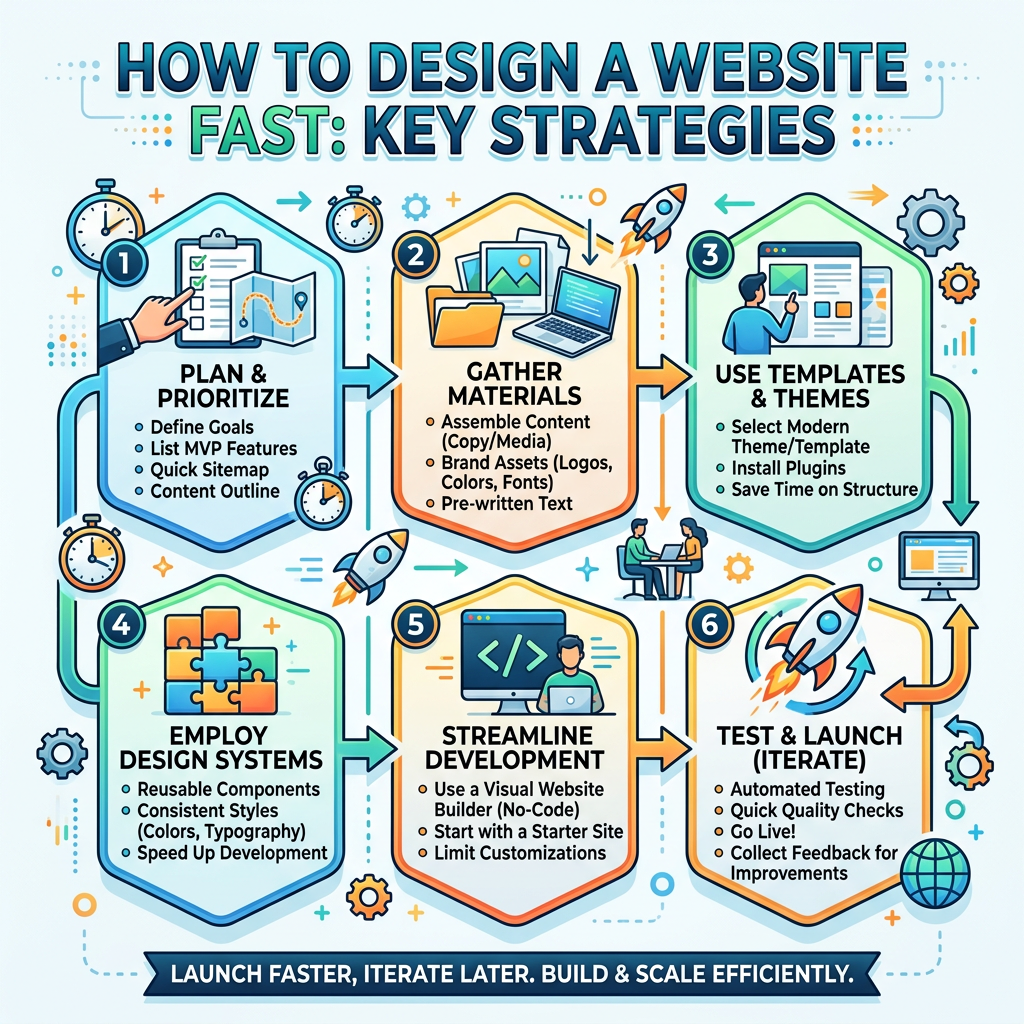
Learn How to design a website fast—whether for a launch, a client project, or a personal portfolio—following a structured yet streamlined approach is essential. Fast design does not mean cutting corners; it means using proven tools, clear planning, and automation to keep quality high while meeting tight deadlines.
In this guide we break down the whole workflow into eight practical steps, showing you how to go from concept to a live site in record time. You’ll learn how to define goals, pick the right platform, leverage pre‑made themes, and run rapid tests that guarantee performance across devices. We also include real‑world examples, comparison tables, and links to authoritative resources such as Google PageSpeed Insights and Web.dev to help you optimize and verify results. By the end of the article you’ll have a clear roadmap to designing a website fast without sacrificing user experience or SEO fundamentals.
Table of Contents
Step 1: Define Your Goals and Audience
Before you start any design work, know exactly what the site should achieve. Write down primary objectives such as generating leads, selling products, or building brand awareness. Identify the target audience—what age group, interests, and technical proficiency they have. This information will guide tone, layout, and functionality choices. Create a concise brief that mentions key pages, desired features, and any existing branding assets. Having a clear brief reduces back‑and‑forth revisions later on and speeds up the design hand‑off to developers. Use a simple checklist format to keep the brief organized and shareable with team members.
State the primary purpose (e.g., “increase online sales by 20 % in 90 days”).
Describe the core audience personas with 2‑3 characteristics each.
List essential pages and any must‑have functionality (contact form, e‑commerce, blog, etc.).
Note existing brand guidelines or assets you must respect.
Step 2: Choose the Right Tools and Platform
The platform you select sets the pace for the rest of the workflow. Popular options include content management systems (CMS) like WordPress, headless CMS combined with static site generators, and low‑code builders such as Webflow or Squarespace. Each option balances ease of use, customization, and performance differently. For rapid development, consider a CMS with a large library of ready‑made themes or plugins that automate common tasks like SEO metadata, contact forms, or e‑commerce. If you need maximum speed and control, a static site generator (e.g., Next.js, Jekyll) paired with a headless CMS can deliver lightning‑fast pages while still allowing non‑technical users to update content via an admin interface.
Platform
Setup Time
Customization Ease
Performance
Best For
WordPress
Fast (1‑2 days)
High (themes & plugins)
Good (with caching)
Most users, e‑commerce
Webflow
Medium (2‑3 days)
Very high (visual designer)
Excellent (HTML/CSS)
Design‑focused projects
Next.js (Static)
Slow (setup required)
High (code)
Outstanding (pre‑rendered)
Performance‑critical sites
Step 3: Utilize Pre‑made Themes or Starter Templates
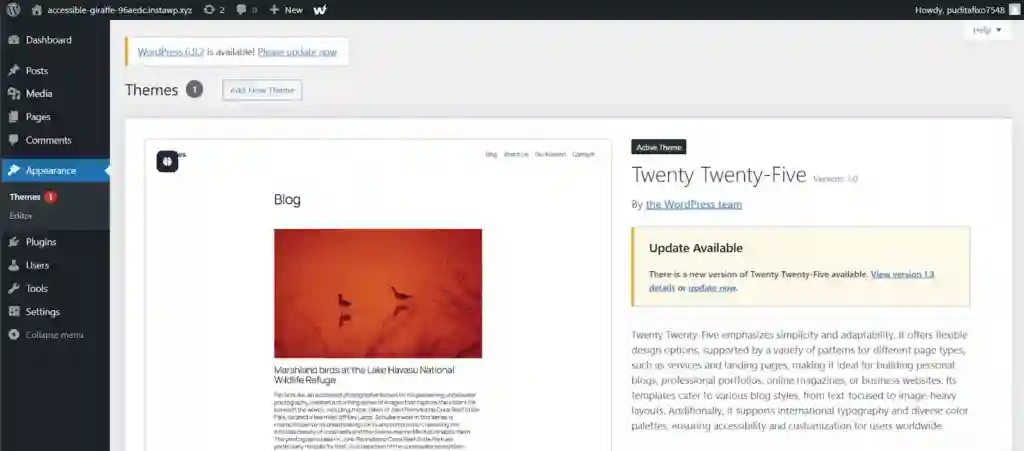
Pre‑made themes act as a jump‑start for most projects. Choose a theme that matches your brand and includes required functionality out of the box. Modern WordPress themes often come with page builders like Elementor or Gutenberg blocks, allowing you to assemble pages without coding. For static sites, starters like Jekyll or Next.js starters provide a file structure, routing, and styling baseline. Using a template reduces the time spent on basic layout, letting you focus on custom branding and content. Remember to review the theme’s licensing and update policies to avoid future legal or security issues.
Wireframing creates a visual map of page elements before any visual design. Tools such as Figma, Sketch, or Balsamiq let you drag and drop placeholders for headers, navigation, hero sections, and footers. Rapid wireframing emphasizes functionality over aesthetics, enabling quick iteration. Sketch simple low‑fidelity wireframes for each page, then move to a mid‑fidelity version that adds more detail like grid systems and user flow. This step ensures you have a clear layout plan, reduces redesign cycles, and helps developers understand the structure early in the process.
Step 5: Write Structured Content Quickly
Well‑organized content not only improves SEO but also speeds up the design process because you know what text goes where. Use a content hierarchy: headings for main topics, subheadings for supporting points, and bullet points for quick scans. Write concise copy that matches your audience’s language. Incorporate keyword research early‑tools like SEMrush or Google Keyword Planner can suggest terms to include naturally. Structuring content also aids the design phase, as you can plan placeholder text lengths and adjust layout accordingly.
Plan headings using an H1, H2, H3 structure.
Include primary keywords near the beginning of each section.
Use bullet lists for key points to improve scannability.
Write meta descriptions (150‑160 characters) for each page.
Step 6: Optimize for Performance
Speed is a non‑negotiable factor for modern websites. Start with image optimization‑compress images using tools like Squoosh image compressor or WordPress plugins such as Smush. Enable browser caching, minify CSS/JS files, and consider a Content Delivery Network (CDN) if traffic is expected to be high. Use Google PageSpeed Insights to receive actionable scores and suggestions. Even small improvements‑like lazy‑loading images and removing unused CSS‑can shave seconds off load time, which directly impacts user engagement and SEO rankings.
Before launching, run responsive tests on desktop, tablet, and mobile. Tools like Chrome DevTools Device Mode give quick visual feedback. For more thorough testing, use BrowserStack cross‑device testing to check across multiple browsers and real devices. Capture any layout breaks, broken links, or functionality issues. Document findings and prioritize fixes based on user impact. Automated testing tools such as Lighthouse can also assess accessibility and best practices. Iterative testing ensures a polished final product and reduces post‑launch maintenance.
Step 8: Launch and Maintain
Launch day marks the culmination of your fast‑design effort. Configure domain pointing, SSL certificate, and any final SEO settings like robots.txt and sitemap.xml. After going live, monitor performance metrics via Google Analytics and Search Console. Set up regular backups, security patches, and content updates to maintain speed and safety. Even with a rapid approach, ongoing maintenance is essential to keep the site secure and relevant. For deeper guidance, refer to the official WordPress documentation or the Web.dev performance guide.
Frequently Asked Questions
Q1: How long does it take to design a website using these methods?
A1: With the eight‑step approach outlined above, a typical small‑business site can be designed and launched within 5‑7 days, assuming you have a ready‑made theme and content already drafted. Larger projects with custom functionality may require 2‑3 weeks, but the systematic steps still keep the timeline predictable.
Q2: Do I need coding skills to follow this guide?
A2: No. Most of the steps can be completed using visual builders, pre‑made themes, and drag‑and‑drop wireframing tools. If you do have basic HTML/CSS knowledge, you can fine‑tune the site later, but it’s not a prerequisite for a fast launch.
Q3: Which platform is best for beginners?
A3: For beginners, WordPress with a reputable theme (like Astra or OceanWP) offers the quickest setup time and the largest plugin ecosystem. Webflow is also beginner‑friendly for design‑focused sites, while providing more control over performance.
Q4: How can I ensure my site is SEO‑friendly from the start?
A4: Incorporate SEO from the beginning by using clear URL structures, optimizing title tags and meta descriptions, adding alt text to images, and installing an SEO plugin like Yoast SEO. The pre‑made themes often include SEO‑optimized templates that you can customize.
Q5: What tools help with rapid testing and debugging?
A5: Chrome DevTools, Lighthouse audits, BrowserStack for cross‑device testing, and the Chrome extensions “CSS & JS Minifier” and “Disable jQuery Migrating” help identify and fix issues quickly.
Conclusion
Designing a website fast is achievable when you combine clear planning, the right tools, and systematic optimization. By following the eight steps‑from goal definition to launch and maintenance‑you can deliver a high‑quality site that loads quickly, ranks well, and engages visitors. Ready to start? Grab a pre‑made theme, set up your brief, and begin building your fast website today. For more tutorials and resources, visit our web development tutorials or explore related articles like SEO best practices to keep your site ahead of the competition.