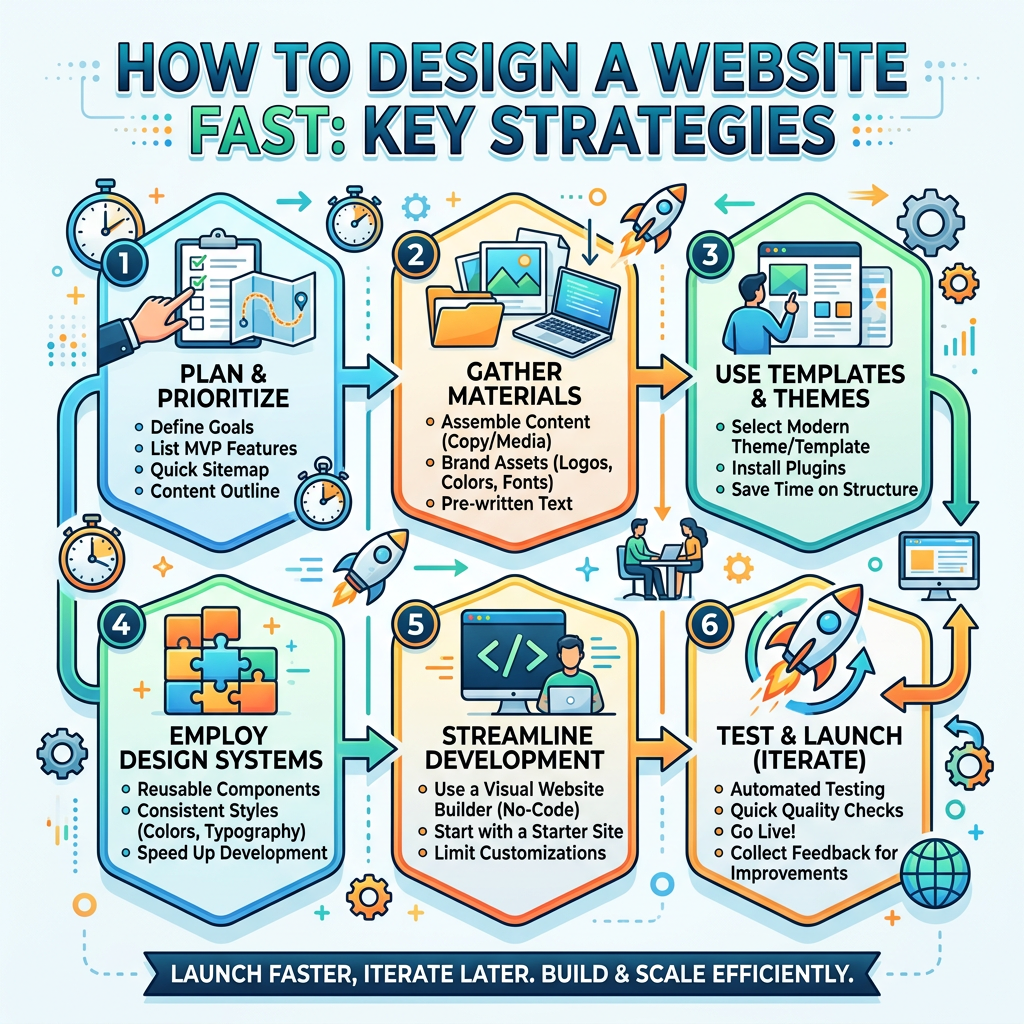
Learn WordPress Web Design and Build Professional-Looking Websites
Want to create websites for businesses, organisations, personal brands
or your own ideas? WordPress provides a content management system that
helps you build and manage websites without having to write every
component from scratch.
Explore WordPress web design with LearnItPedia Technologies and learn
how website pages, themes, plugins and visual page-building tools fit
together. Develop a foundation for creating organised, responsive
websites and managing their content.
WordPress Web Design Course Fee
₦150,000
Contact the team to confirm the current fee and enrolment details.
What Is WordPress Web Design?
WordPress is a content management system used to create and manage
websites. It combines a content editor with themes, plugins and
customisation options. Depending on the project, you can use it to
build a business website, blog, portfolio, landing page or other
types of content-driven websites.
01
Create Website Pages
Organise pages such as Home, About, Services, Contact and other
sections around the needs of a website’s audience.
02
Customise the Appearance
Understand themes, layouts, colours, typography, menus and visual
page-building tools used to shape a website’s appearance.
03
Manage Website Content
Learn the basics of publishing pages and posts, organising media
and keeping website content clear and structured.
What Will You Learn?
The topics below form a proposed WordPress learning roadmap.
Please confirm the final syllabus with LearnItPedia before enrolment,
especially the tools and hosting arrangements included.
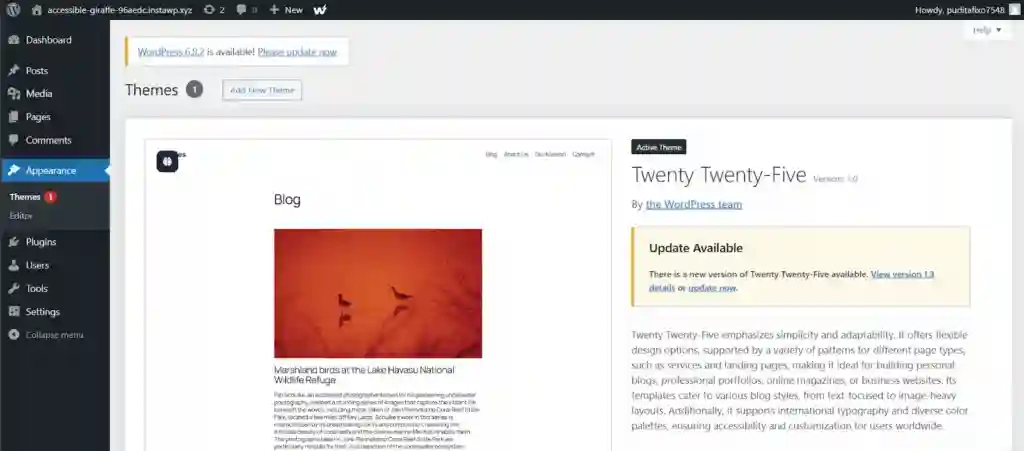
Introduction to WordPress and content management systems
Understanding WordPress.com and self-hosted WordPress
WordPress dashboard and administration basics
Pages, posts, categories and tags
Media library and image optimisation fundamentals
Installing and customising themes
Plugins and choosing appropriate functionality
Menus, navigation and website structure
Using Elementor or another visual page builder, if included
Responsive layouts for phones, tablets and desktop computers
Basic search engine optimisation for website pages
Website backups, updates and basic security practices
Introductory domain, hosting and website publishing concepts
Important course-scope question: Ask whether the
course includes Elementor, domain registration, hosting setup,
e-commerce, WooCommerce, website migration and ongoing maintenance.
Do not assume these are included unless the provider confirms them.
What Kind of Website Could You Build?
WordPress can support many website types. The tools and setup you
choose should reflect the purpose of the site and the needs of its
visitors.
Small business and professional service websites
Personal portfolios and professional profiles
Blogs and content publishing websites
Campaign and lead-generation landing pages
Training and educational websites
Organisation and community websites
Online stores, if the required e-commerce tools are learned
A successful website needs more than a good-looking theme. It should
have clear navigation, useful content, a mobile-friendly layout,
appropriate performance and a clear purpose.
Who Should Consider This Course?
Beginners who want to learn website creation
Entrepreneurs planning an online presence for a business
Digital marketers who need website management skills
Bloggers and content publishers
Freelancers interested in offering website services
Graphic designers who want to extend their digital skills
Professionals who manage or update website content
If you want to learn how to code website functionality from the ground
up, ask about the separate Web Design & Development course, which
focuses on programming technologies.
How WordPress Skills Can Be Useful
Learning WordPress can help you manage digital content and work
towards website-related projects. Your opportunities will depend on
the quality of your work, your practical experience and the services
you can competently provide.
Business Website Creation
Learn the foundations of building websites that present a business,
explain its services and make contact information accessible.
Website Content Management
Develop skills for updating pages, publishing articles, organising
media and keeping information current.
Freelance Website Services
Practise on sample projects and build a portfolio that demonstrates
your ability to configure, customise and manage WordPress sites.
Blogging and Publishing
Use WordPress to organise posts, categories, images and other
content for a blog or publication website.
Digital Marketing
Combine website management with SEO, analytics and content strategy
to support a more coordinated online presence.
Website Maintenance
Learn why updates, backups, access control and careful plugin
management matter when maintaining a website.
Completing a course does not guarantee clients, employment or income.
Building reliable skills, completing practice projects and maintaining
a portfolio are important steps towards professional work.
Why Ask Questions Before You Enrol?
WordPress training can vary significantly in scope. Make sure you
understand what you will learn and what you will need to provide.
Request the full syllabus and learning objectives
Confirm whether beginners can join
Ask whether Elementor is included
Confirm the training schedule and course duration
Ask whether hosting and domain costs are separate
Clarify whether WooCommerce or e-commerce is covered
Ask about practice websites and project requirements
Confirm the fee and commitment-fee arrangements
Course information
WordPress Web Design
Provider: LearnItPedia Technologies Limited
Course fee: ₦150,000
Commitment fee: confirm the amount with the team.
Contact LearnItPedia for the current syllabus, schedule, delivery
format and enrolment instructions.
Confirm the current fee and payment instructions directly with
LearnItPedia before making a payment.
Frequently Asked Questions
Answers to common questions about WordPress web design training.
1. What is WordPress used for?
WordPress is a content management system used to create and manage
websites, blogs and other content-driven online experiences.
Themes and plugins can extend its appearance and functionality.
2. Do I need coding experience to learn WordPress?
Many WordPress tasks can be completed using its dashboard, themes
and visual editors without writing code. More advanced customisation
may require HTML, CSS, JavaScript or PHP. Ask whether this course
is designed for beginners.
3. How much does the WordPress course cost?
The listed fee is ₦150,000. Contact LearnItPedia Technologies to
confirm the current fee, payment process and commitment-fee amount.
4. How long does the course take?
The course duration has not been specified here. Ask the team for
the current schedule and expected time commitment.
5. Will I need to pay for a domain and hosting?
A public website generally needs suitable hosting and a domain,
although practice environments may be available without purchasing
them immediately. Confirm what is included in the course fee.
6. Is WordPress the same as web development?
WordPress is one platform for building and managing websites.
Web development can also involve coding websites and applications
directly with HTML, CSS, JavaScript, back-end languages and databases.
7. Can I use WordPress to build an online store?
Yes, WordPress can support e-commerce through tools such as
WooCommerce. Confirm whether online-store setup and payment
integration are covered in this particular course.
8. How do I enrol?
Contact LearnItPedia Technologies on WhatsApp to request the latest
syllabus, schedule, fee confirmation and enrolment instructions.
Take the next step by asking LearnItPedia Technologies about the
syllabus, tools, schedule, course fee and enrolment process.
Make an informed decision about your website-building journey.