
What Is a WordPress Site?
Let’s strip it down clearly. A WordPress site is a website built using WordPress: a powerful Content Management System (CMS) that allows you to CREATE, MANAGE, and PUBLISH content online
without needing to CODE from SCRATCH. In Simple Terms: WORDPRESS is like the CONTROL ROOM of your website. Instead of writing complex code, you:Click buttons Install tools (plugins) Customize design (themes) Publish content easily
WordPress is not just a website builder. It is a digital infrastructure system that powers over 40% of websites globally. It separates:Content (what you publish) Design (how it looks) Functionality (what it can do) This modular structure is why it’s scalable from a student blog to a full business platform.
Types of WordPress (Important for Beginners)There are two versions:
1. WordPress.com: Hosted for you Beginner-friendly Limited control
2 .WordPress.org Self-hosted (you control everything)Full customization Requires hosting + setup Professional advice: If you want to grow a brand, business, or portfolio , WordPress.org is the real game.
CORE COMPONENTS OF A WORDPRESS SITE
To understand WordPress deeply, you need to know its building blocks:
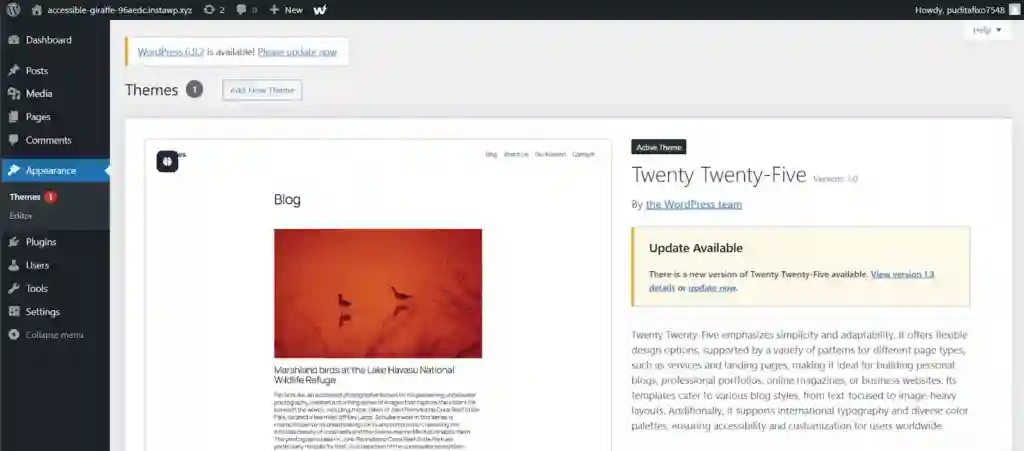
✅Themes (Design Layer)Themes control how your website looks.Examples:Layout Colors Typography Think of themes as your website’s visual identity.
✅Plugins (Functionality Layer)Plugins add features without coding.Examples:SEO tools Security systems Speed optimization Plugins are your website’s capabilities engine.
✅ Dashboard (Control Center)This is where everything happens:Write blog posts upload mediaManage pages
✅ Hosting (Where Your Site Lives)Your website files are stored on servers provided by companies like: Blue host site ground without hosting, your WordPress site cannot go live.
PROS OF of USING WORDPRESS (Why Professionals Use It)
1. Flexibility and Control: You can build: Blogs business websites E-commerce stores portfolios no limitation.
2. Cost-effective WordPress itself is free.You only pay for: Hosting domain name Premium tools (optional)
3. SEO-Friendly Structure WordPress is built to align with search engines like Google.With plugins like Yoast SEO, you can:Optimize keywords improve rankings increase visibility
4. Scalability You can start small and grow big.A simple blog today can become:A business platform tomorrow .A digital brand ecosystem later
5. Massive Ecosystem Thousands of: Themes plugins developers this means solutions already exist for almost any problem.
CONS OF USING WORDPRESS (What Most Beginners Ignore)
1. Learning Curve : it looks easy but to use it professionally, you need to understand: Plugins hosting performance optimization
2. Maintenance ResponsibilityEspecially with WordPress.org:You handle updatesYou manage backupsYou ensure security
3. Plugin Overload RiskBeginners install too many plugins, which can:Slow down the siteCause conflictsBreak functionality
4. Security Vulnerabilities :if not properly managed:Outdated plugins can be exploited Weak passwords can lead to hacking
5. Speed Issues (If Not Optimized)WordPress can become slow if:Images are not compressed hosting is poor code is heavy. WordPress is not “just a website tool.” It is a growth platform.Students use it to build authority creatives ,use it to showcase work entrepreneurs use it to generate income but here’s the truth most people miss: WordPress doesn’t make you successful. How you use it strategically does.Final Insight if you approach WordPress casually, you’ll struggle.But if you approach it like a system: Structure strategy optimization it becomes one of the most powerful tools you can use online.What Comes Next now that you understand: What WordPress is how it works it’s strengths and weaknesses the next step is critical.
HOW TO OPTIMIZE YOUR WORDPRESS SITE FOR SPEED AND MOBILE (Step-by-Step)
Most people think a beautiful website wins.In reality, a fast and mobile-optimized website wins every single time.If your site is slow or frustrating on mobile, you’re not just losing traffic…You’re losing trust, visibility, and conversions.This guide will show you step by step how to fix that.Why Speed and Mobile Optimization Matter (Especially Now)
Over 70% of users browse through mobile devices. Platforms like Google now prioritize mobile-first indexing, meaning:Your mobile site determines your rankingSpeed directly affects your SEO . A delay of even 1–3 seconds can increase bounce rates drastically Translation: If your site is slow or not mobile-friendly, people leave before they even see your offer.
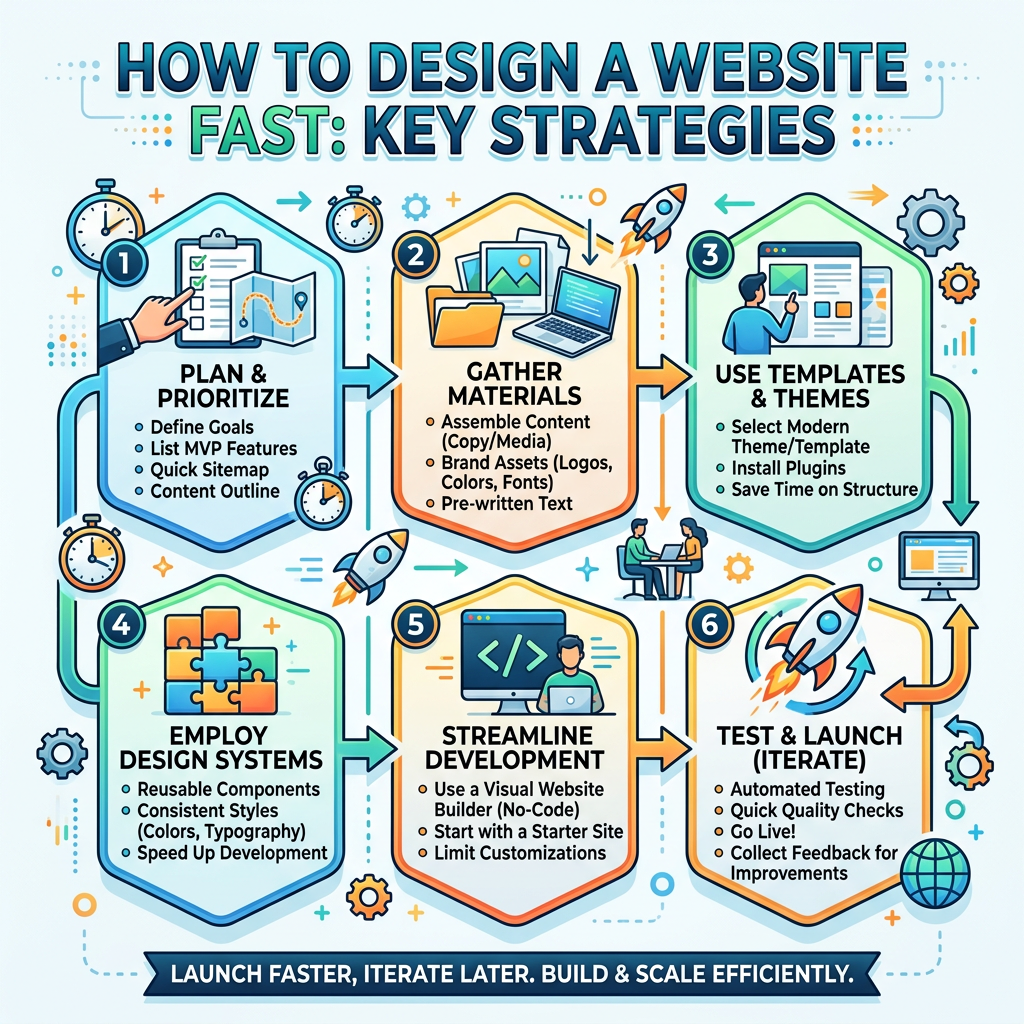
Step 1: Choose a Lightweight, Fast Theme: Your theme is your foundation. Avoid bulky themes with unnecessary animations and scripts. Instead, go for lightweight options like: Astra GeneratePressNeve ,Why this matters: Heavy themes slow down loading speed before you even start optimizing.
Step 2: Use a Reliable Hosting Provider: Speed starts from your server. A poor hosting provider will slow everything down no matter what you do later. Look for hosting that offers: Fast server response time Built-in caching High uptime Popular options include: Site Ground Blue host
Step 3: Install a Caching Plugin: Caching reduces load time by storing static versions of your site.Use plugins like:WP RocketW3 Total Cache What to enable: Page caching, Browser caching ,GZIP compression
Step 4: Optimize Images (This Is Where Most People Fail)Large images = slow site.Before uploading:Compress images using tools like Tiny PNG ,Use modern formats like WebP . Inside WordPress:Install plugins like Smush Pro , Images often account for 50%+ of page size
Step 5: Enable a Content Delivery Network (CDN): A CDN stores your site on multiple servers worldwide.This means users load your site from the nearest location.Use: Cloud flare result:Faster global performance + added security
Step 6: Minify CSS, JavaScript, and Html this removes unnecessary code (spaces, comments, etc.) to reduce file size.You can do this using: Autotomize what to minify:CSS files JavaScript files html
Step 7: Make Your Site Mobile-Responsive: Your site must adapt to all screen sizes.Test responsiveness using:Google Mobile-Friendly Test ensure:Text is readable without zooming buttons are clickable layout adjusts smoothly .
Step 8: Reduce Plugin Overload too many plugins = slower performance.Do this:Delete unused plugins avoid installing multiple plugins with the same function keep only essential tools professional rule:Every plugin must justify its existence.
Step 9: Optimize Your Database over time, your database stores junk (revisions, spam, drafts).Clean it using: Two-time outcome:Faster backend performance Reduced server load
Step 10: Test and Monitor Performance optimization is not a one-time task.Use tools like:Google Page speedy Insight sgt metric track:Load time core Web Vitals mobile performance score strategic Insight Most Beginners Miss speed optimization is not about installing random plugins.It’s about building a system where everything works efficiently together:Lightweight theme clean code optimized media strong hosting That’s how professional websites scale.
Don’t just read this.Pick 3 steps from this guide and implement them today:Optimize your images install caching test your mobile responsivenessThen measure the difference.That’s how you move from guessing…To building a website that actually performs.