If you collect feedback, questions, survey responses, intake forms, or customer requests through Google Forms, you already have a powerful source of content ideas. Every answer can reveal what your audience wants, what problems they are trying to solve, and what language they use when searching online. Instead of guessing what to write next, you can turn Google Forms Answers Into SEO Blog Topics ideas that are relevant, searchable, and useful.
Using Google Forms answers for blog planning is especially valuable because the ideas come directly from real people. These responses often contain pain points, objections, goals, and repeated questions. When organized properly, they can help you create blog posts that attract organic traffic, answer customer concerns, and support your sales or marketing goals.
Table of Contents
Why Google Forms Answers Are Valuable for SEO
Great SEO starts with understanding user intent. Search engines want to show content that answers a searcher’s question clearly and completely. Google Forms responses can reveal this intent in a natural way because people often describe their needs in their own words.
For example, if several form responses ask how to choose the right service, how pricing works, or what mistakes to avoid, those are strong signals for blog content. Each repeated question can become a focused article, FAQ section, comparison guide, or tutorial. This helps you create content that aligns with what your audience is already thinking about.
Another advantage is keyword discovery. While traditional keyword tools are useful, they do not always capture the exact phrases your customers use. Google Forms answers may include long-tail keyword opportunities that are less competitive and more specific. These long-tail topics can bring in highly qualified visitors who are closer to making a decision.
Step 1: Collect the Right Type of Responses
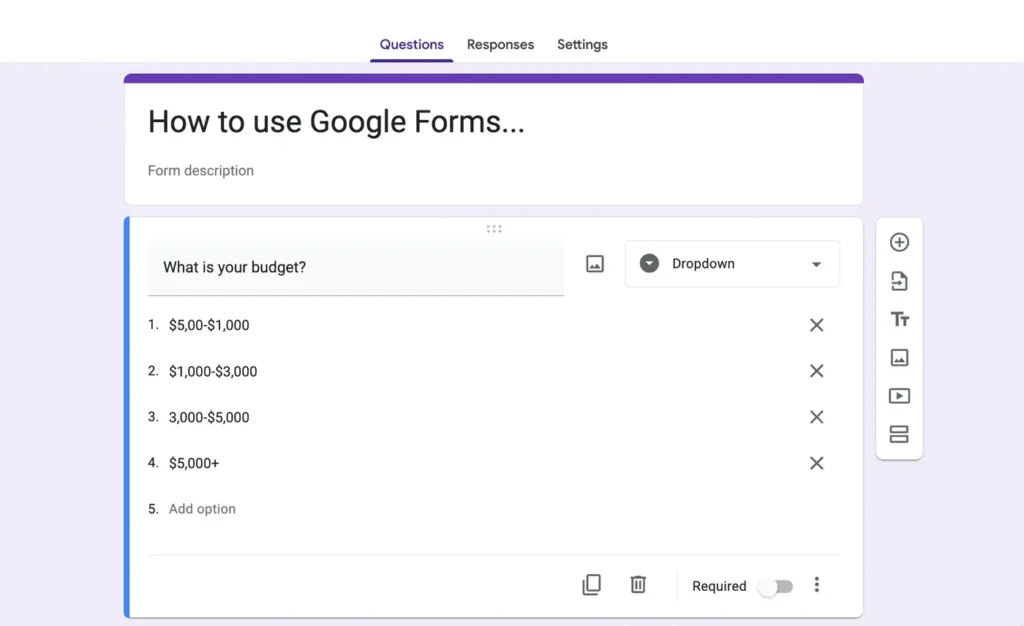
To turn Google Forms answers into blog topics, start by making sure your form asks useful questions. Generic responses are harder to convert into content ideas, so include prompts that encourage detail.
Helpful questions to ask include:
What is your biggest challenge related to this topic? What questions do you have before getting started? What solution have you already tried? What would make this process easier for you? What result are you hoping to achieve?
These questions help uncover the emotional and practical motivations behind your audience’s searches. The more specific the answers, the easier it becomes to create blog posts that feel directly relevant.
Step 2: Organize Answers by Theme
Once you have responses, export them to Google Sheets or review them directly inside Google Forms. Look for patterns. You may notice that many people ask about cost, timelines, tools, beginner mistakes, comparisons, or step-by-step instructions.
Create categories for these recurring themes. For example, a business coach might group answers into categories such as productivity, pricing, mindset, lead generation, and client onboarding. A fitness brand might group responses into weight loss, meal planning, workouts, motivation, and supplements.
This organization helps you identify topic clusters. Topic clusters are groups of related articles that support a broader subject. They are useful for SEO because they allow you to build topical authority and internally link between related posts.
Step 3: Turn Questions Into Blog Titles
Many form responses can be transformed directly into blog titles. If someone asks a question, that question can often become a headline or subheading. The key is to make the title clear, specific, and search-friendly.
Examples of turning answers into titles:
If a response says, I do not know where to start, the blog title could become How to Get Started With Your First Project. If a response says, I am worried about the cost, the title could become How Much Does This Cost and What Affects the Price. If a response says, I tried before but failed, the title could become Common Mistakes Beginners Make and How to Avoid Them.
Strong blog titles usually include a clear benefit or answer. They should tell readers exactly what they will learn. This improves click-through rates and helps search engines understand the content.
Step 4: Match Each Topic With Search Intent
Before writing, decide what the reader wants from the article. Search intent usually falls into a few categories: informational, commercial, navigational, or transactional. Most blog posts focus on informational or commercial intent.
An informational topic teaches the reader something, such as how to solve a problem or understand a concept. A commercial topic helps the reader compare options or make a buying decision. Google Forms answers can help you determine which type of content is needed.
For example, if respondents ask what something means, create an educational guide. If they ask which option is best, create a comparison post. If they ask whether your service is right for them, create a decision-focused article that explains use cases, benefits, and next steps.
Step 5: Add SEO Keywords Naturally
After choosing a topic, use a keyword tool to validate search demand. Look for related keywords, questions, and variations. However, do not force keywords into the article. The best approach is to use the target keyword naturally in the title, introduction, one or two headings, and throughout the content where it fits.
For this strategy, a focus keyword like Google Forms answers blog topic can be used in content that teaches readers how to convert survey responses into content ideas. Related terms might include Google Forms content ideas, customer questions for blog posts, survey responses for SEO, and blog topic research.
Natural keyword use improves readability and avoids keyword stuffing. The article should still feel written for humans first.
Step 6: Create a Content Calendar
Once you have a list of blog topics, place them into a content calendar. Prioritize topics based on audience demand, SEO opportunity, business value, and urgency. If a question appears repeatedly in Google Forms answers, it should move higher on your list.
A simple calendar can include the blog title, focus keyword, category, status, publish date, and call to action. This keeps your workflow organized and ensures that content is published consistently.
Consistency matters because SEO results build over time. Publishing helpful content regularly increases your chances of ranking for more keywords and attracting more qualified visitors.
Step 7: Use Responses to Improve Existing Content
Google Forms answers are not only useful for new blog posts. They can also improve existing content. If people keep asking a question that your current article does not answer, add a new section. If readers seem confused about a topic, rewrite the explanation to make it clearer.
You can also add FAQ sections based on common form responses. FAQs are useful for both readers and search engines because they provide direct answers to specific questions. This can improve user experience and increase the depth of your content.
Best Practices for Using Google Forms Data
When using form responses, protect privacy. Do not publish personal details, names, email addresses, or sensitive information without permission. Focus on themes and general questions rather than identifying individuals.
It is also important to review responses with strategy in mind. Not every answer should become a blog post. Choose topics that are relevant to your audience, connected to your services or products, and likely to provide long-term value.
Finally, track performance after publishing. Use analytics tools to monitor traffic, rankings, engagement, and conversions. If a blog post performs well, create related content around the same theme.
Conclusion
Google Forms answers can be one of the most practical sources of SEO blog ideas. They show what your audience cares about, what questions they need answered, and what language they naturally use. By organizing responses, identifying patterns, matching topics with search intent, and optimizing content with relevant keywords, you can build a blog strategy based on real audience demand.
If you want to stop guessing and start publishing content your audience actually needs, begin reviewing your Google Forms responses today. Turn those answers into helpful blog posts, build a stronger content calendar, and use every customer question as an opportunity to grow your organic traffic.